

In today’s world, your images can either help or hurt your search ranking. I’ve seen many great websites lose out because of bad image practices.
Google’s crawlers are like art critics with bad eyes. They need clear clues to understand your images. Proper image SEO is key to standing out in search results.
This optimization does two important things. It helps your site rank better and makes it easier for users to find what they need. Google wants your content to be easy to find and understand through good images.
If your images aren’t optimized, you’re leaving your ranking to chance. In today’s crowded online world, that’s a big disadvantage.
Techniques for Optimization
Image optimization is key to a website’s success. It’s where good ideas meet real results. An optimized image can make a huge difference in loading time and search rankings.
First, stop using weird file names. “DSC_00234.jpg” doesn’t tell search engines anything. Use descriptive names with hyphens to help crawlers find their way.

Compression is about finding the right balance. It’s like making a perfect cocktail – too weak or too strong, and it’s not good.
“Optimizing images is like editing a great speech – remove the fluff but keep the impact.”
Choosing the right image format is important. JPEG for photos, PNG for transparency, and SVG for logos. The wrong format is like wearing a tuxedo to the beach.
Responsive images with srcset attributes ensure your visuals look great on all devices. It’s like wearing a suit that fits perfectly, no matter the occasion.
Alt text is more than just for screen readers. It’s like contextual poetry that helps search engines understand your content. Bad alt text is like reading a poorly written novel.
| Technique | Best Use Case | Impact Level |
|---|---|---|
| Descriptive Filenames | All images | High |
| Smart Compression | Large hero images | Critical |
| Format Selection | Based on image type | High |
| Responsive Srcset | Multi-device websites | Medium-High |
| Strategic Alt Text | All decorative images | Essential |
Lazy loading makes websites smooth and fast. It’s like a well-choreographed dance – everything appears perfectly, without any awkward pauses.
Where you place images matters a lot. An image in the right spot works better than one that’s just thrown in. It’s about creating a visual flow.
Mobile optimization is now a must. With over 60% of searches on mobile, ignoring this is like opening a restaurant without chairs.
True media optimization is a mix of technical skills and artistic sense. It’s where data and design come together, improving both user experience and search visibility.
Tools and Plugins
Your tools are either your best friends or a waste of money. I’ve tried many plugins and found most don’t live up to their promises.
Tools like TinyPNG and JPEG Optimizer are reliable. They remove extra data without losing image quality. Think of them as digital declutterers for your images.
For WordPress users, automatic optimization plugins are a game-changer. The best WordPress image optimization plugins make your site faster. They handle compression, lazy loading, and WebP conversion while you focus on creating content.
Testing tools like Google PageSpeed Insights are essential. They show how your images affect your site’s speed. It’s like having a personal trainer for your website’s performance.
CDN services like Cloudflare and Amazon CloudFront are also important. They ensure your images load fast, no matter where your visitors are. But, remember, alt text is key for search engines to find your images.
Here’s how the major players stack up in the optimization arena:
| Tool Category | Primary Function | Best For | Cost Efficiency |
|---|---|---|---|
| Compression Tools | Reduces file size | Individual images | Free to $5/month |
| CMS Plugins | Automated optimization | WordPress sites | $0-$100/year |
| Testing Suites | Performance analysis | All websites | Free |
| CDN Services | Global delivery | High-traffic sites | $0-$20/month |
Remember, tools only work if you use them right. The most expensive plugin won’t fix bad alt text or irrelevant images. Pick tools that fit your needs, not every new thing that comes out.
Browser caching and HTTPS might seem complex, but modern tools handle them. Your job is to pick solutions that make optimization easy and effective.
Measuring Impact on Performance
You’ve optimized your images like a digital Michelangelo, but are you actually moving the needle or just creating pretty pixels? Let’s talk cold, hard data – the kind that separates SEO professionals from weekend warriors.
Google PageSpeed Insights becomes your new best friend here. This tool doesn’t just give you a score; it tells the story of how your media optimization efforts are performing in the wild. Think of it as your website’s annual physical – except you get the results instantly.
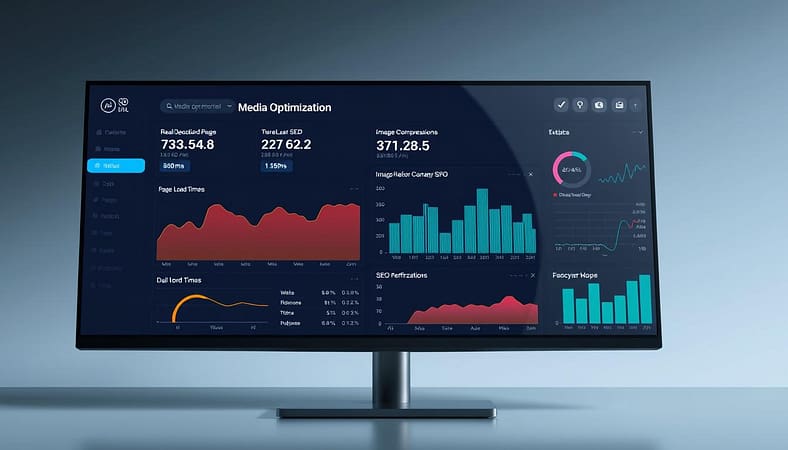
Your Core Web Vitals are the heartbeat of this operation. When you compress those images and implement lazy loading, watch how your Largest Contentful Paint (LCP) improves. It’s like watching a sloth suddenly become an Olympic sprinter.
But here’s where it gets interesting: analytics tracking reveals the human side of the equation. Are users actually sticking around longer? Is your bounce rate dropping faster than a hot potato?
I’ve seen sites where proper media optimization turned bounce rates from tragedy to triumph. One client’s mobile bounce rate dropped 42% after we fixed their image loading issues. That’s not just a number – that’s 42% more people actually engaging with content.
Then there’s the conversion metrics. When pages load faster, people buy more. It’s retail therapy meets digital physics. Track those conversion funnels like a hawk watching its prey.
Don’t forget image discoverability in search results. Are your optimized images actually appearing in Google Images? This isn’t vanity – it’s traffic waiting to happen.
The real magic happens when you connect these dots. Better Core Web Vitals lead to higher engagement, which leads to improved conversions. It’s the digital equivalent of dominoes falling perfectly.
Remember: if you’re not measuring, you’re just guessing. And in today’s competitive landscape, guessing is about as useful as a screen door on a submarine.
Your media optimization strategy should be a continuous feedback loop. Test, measure, adjust, repeat. The data will tell you what’s working and what’s not – no crystal ball required.
Case Studies of Success
Ever wonder if image SEO actually works? Let’s talk proof. Wayfair optimized product images, and organic traffic doubled. Their secret? Descriptive filenames and alt text that read like a shopping list for Google’s algorithms.
BuzzFeed cracked the code on image search dominance. They used strategic alt text that mirrored trending queries. Suddenly, their memes and articles topped results. It wasn’t magic—it was metadata with muscle.
HubSpot fixed Core Web Vitals by compressing images without sacrificing quality. Page speed improved, and conversions jumped. Their lesson? Fast-loading visuals aren’t just nice; they’re necessary.
These aren’t fairy tales. They’re blueprints for winning at image SEO. The data speaks: optimize wisely, and search engines—and users—will reward you.