

Standing out on YouTube is tough. It’s a crowded place, and getting views is hard.
The key to success is using the right words. It’s not just about guessing what people might search for.
YouTube searches are different from Google searches. People have a “watch intent” instead of a “read intent.” They ask questions or describe what they want to see.
Video SEO is key here. It’s a special skill that goes beyond text-based methods. The YouTube algorithm looks at watch time, session duration, and how engaged users are.
To optimize for these, you need to know how people find content. Learning this is the first step. It helps with making titles and sharing clips online.
Research Stack: suggest scrapes, comments, competitor tags, retention signals
The modern video keyword research stack uses data from scrapes, comments, competitor tags, and retention signals. This approach is essential for moving beyond guesswork. It changes how you find and validate YouTube keywords for your content.
Effective keyword research needs a systematic method. You must know your target audience and come up with strong keyword ideas. Analyzing keyword metrics from various sources gives you a competitive edge.
Competitive analysis is key. By looking at successful channels’ strategies, you get valuable insights. This helps you see the search terms and content angles that work.
Your research stack should include these four critical data sources:
- YouTube Scrapes: Harvesting search-suggest and autocomplete data.
- User Comments: Mining natural language and questions from your audience and competitors.
- Competitor Tags: Reverse-engineering the tags of ranking videos.
- Retention Signals: Interpreting YouTube Analytics graphs to find hook points.
Using tools to scrape YouTube’s own search data is the first step. This shows what users are typing into the search bar. These autocomplete suggestions are a direct line to popular video keywords and phrases.
Analyzing user comments is a goldmine of natural language. Look for repeated questions, pain points, and specific terms your audience uses. This feedback loop helps you create content that directly addresses viewer intent.
Reverse-engineering competitor tags is a powerful tactic. Tools can uncover the hidden tags on top-performing videos in your niche. This shows you the exact YouTube keywords your rivals are targeting to rank.
Interpreting retention graphs in YouTube Analytics is often overlooked. A sharp drop in viewership signals a loss of interest. A sustained plateau indicates high engagement. These moments tell you which topics and presentation styles truly resonate.
Combining these signals creates a robust research foundation. It allows for structured research and data-driven validation. For broader keyword management across platforms, consider exploring the best keyword tracking tools available.
This stack positions you to not just find keywords, but to understand why they work. You move from copying trends to anticipating demand. That is the hallmark of a sophisticated content strategy.
Crafting Titles/Thumbnails: hook lines and clarity matrix
The art of turning a scroll into a click is all about two things. Your title and thumbnail work together as one unit. They decide if people will click on your video.
Great titles start with “hook lines” from search‑suggest data. These are the words people type into YouTube’s search bar. Using these words makes your content match what users are looking for.
After finding a hook, the “Clarity Matrix” helps you use it well. This idea mixes curiosity with clear value. It looks at how interesting your title is and how well your thumbnail shows what the video offers.
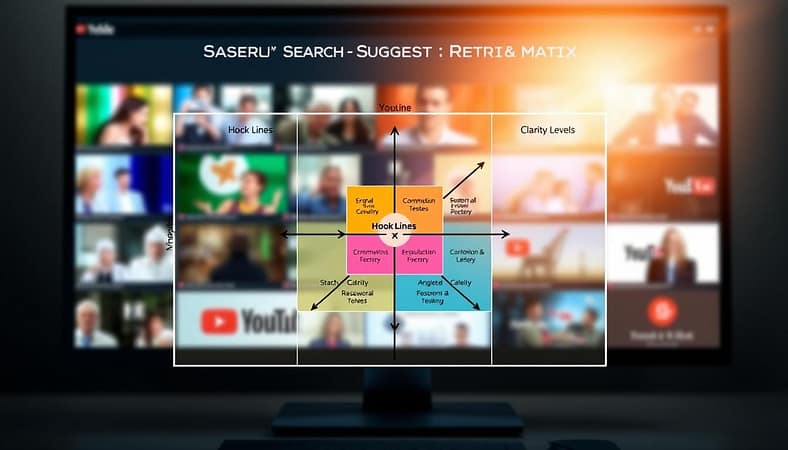
Creating strong titles is like writing good descriptions. As shown in YouTube titles best practices, there are key points to remember:
- Contextual Accuracy: Your title should really show what your video is about. False promises can lose viewers fast.
- SEO Structure Beyond Keywords: It’s not just about adding a keyword. It’s about making a complete, interesting question that search‑suggest data supports.
- Tone Customization: A tutorial title is different from a documentary title. Choose a tone that fits your content and what your audience wants.
In this duo, each part has its own job. The title is the main keyword vehicle for search engines. The thumbnail is the emotional trigger that makes people click. They need to work together, with the thumbnail showing what the title promises.
Trying out different combinations in the Clarity Matrix is essential. A title-thumbnail pair based on solid search‑suggest insights is your first and most important step. It directly affects the KPIs we’ll talk about next.
Chapters & Captions: keyworded moments, accessibility, snippet wins
Video chapters are more than just a way to organize content. They are key moments that grab viewers’ attention and search engines too. This makes your video interactive and easy to find.
By using chapters wisely, you control how people find and watch your content. A smart strategy here boosts search traffic and opens doors for repurposing.
Creating Keyworded Moments for Topical Dominance
Think of chapters as your video’s internal guide. Each marker is a chance to highlight a segment with a key search term.
This approach creates “keyworded moments.” Search engines can index these, making your video appear for specific searches.
For example, a cooking video might have chapters like “Knife Safety Basics,” “Chopping Onions,” and “Sautéing Techniques.” If someone searches “how to chop an onion without crying,” they’ll find that exact part of the video.
To do this:
- Look over your video transcript for natural breaks.
- Find the main keyword for each 2-3 minute section.
- Write chapter titles that are clear and full of keywords, not tricky or vague.
- Use tools like competitor analysis to see what successful videos in your niche do.
Closed captions do more than help accessibility. They give YouTube’s algorithm a detailed text file to work with.
As the data shows, “Include closed captions or subtitles in your videos, as they provide additional context for YouTube’s algorithm.” This text helps the system understand your video’s content deeply.
It links spoken words with what’s happening on screen. This boosts your video’s chances of being suggested for relevant searches.
Always use accurate captions. Auto-generated captions are a start, but errors confuse the algorithm and upset viewers. Editing them is essential for serious creators.
Securing Snippet Wins from Combined Text
The real magic happens when chapters and captions work together. This combo is key for featured snippets.
YouTube and Google often use text from video descriptions, chapters, and transcripts to answer questions directly in search results.
A well-defined chapter like “Best Budget DSLR Camera 2024” with clear captions can become a “snippet win.” This drives massive organic discovery without needing a click.
To optimize for snippets:
- Make chapters clear questions or definitive statements.
- Ensure your spoken dialogue in that chapter directly and clearly answers the chapter’s question.
- Use simple, declarative sentences in your script that are easy for algorithms to extract.
Mastering chapters and captions turns a single video into a powerful search magnet. You improve viewer experience, meet algorithmic needs, and claim valuable snippet real estate. This prepares the ground for effective repurposing, which we’ll explore next.
Repurpose to Web: transcripts → articles, clips → social, internal links
Your YouTube video is not just for one time. It’s a key piece of content that can be used in many ways. By repurposing it, you get the most out of your work. This builds a strong network of content.

Begin with your video’s transcript. This text is great for improving your website’s SEO. Tools like RightBlogger can turn it into a blog post or a LinkedIn article. You can then add more details and make it easier to read for those who prefer text.
Then, focus on short videos. Pick the most interesting parts of your long video. Cut these into clips for TikTok, Instagram Reels, and YouTube Shorts. Each platform has its own style, but the main idea stays the same.
Follow this five-step plan to make the most of your content:
- Step 1: Foundation – Get the full video transcript using automatic captions or a service.
- Step 2: Expand – Write a detailed blog article based on the transcript. Add more data, links, and images.
- Step 3: Segment – Find the most engaging parts of your video. Turn these into standalone clips.
- Step 4: Distribute – Make each clip special for its platform. Add the right captions, hashtags, and hooks.
- Step 5: Link – Connect all your content with internal links. This is what holds your ecosystem together.
Internal linking is key to a traffic loop. Your blog article should link to the YouTube video. The video should link back to the article. Every social media clip should link to the video and the blog post.
This makes a strong content network. A viewer finds a clip on TikTok, watches the full video on YouTube, and reads the article on your website. Each piece supports the others, boosting your content’s reach and life. You move from creating one-off content to building a library that attracts traffic consistently.
KPIs: CTR, AVPV, browse vs search split, assisted traffic to site
Your video’s success is measured by specific key performance indicators. The first gatekeeper is your CTR, or Click-Through Rate. This metric shows the percentage of viewers who click your video after seeing its thumbnail and title in their feed. A strong CTR signals that your keyword research and creative hooks are working to capture attention.
Once a viewer clicks, Average View Percentage (AVPV) takes over. This measures how much of your video the average audience watches. A high AVPV proves your content delivers on the promise made by the title. It tells YouTube your video keeps viewers engaged, which improves video ranking and visibility in search and recommendations.
Analyze your traffic sources, focusing on the browse versus search split. Search traffic means viewers found you by typing a query. Browse traffic comes from YouTube’s homepage and suggested videos. A healthy channel often balances both. Search shows intent, while browse indicates your content’s appeal to a broader audience.
Track assisted traffic to your website from YouTube. This measures how your videos contribute to multi-touch customer journeys. A viewer might watch a tutorial, then later search for your brand and visit your site. Understanding this role is key for lead generation. It shows how video efforts support overall business goals.
Monitoring these KPIs creates a complete picture. It moves you from guessing to data-informed optimization. Consistently using these insights drives long-term channel growth. Your keyword strategy, from titles to transcripts, finds its true value in these performance signals.