

Organizing web content well needs a clear plan. The six HTML heading elements, H1 through H6, are perfect for this. They break down information into main topics and smaller subtopics, like an academic outline.
The H1 element marks the page’s main topic and should only be used once. Then, H2 and H3 tags outline major sections and details. This creates a clear h1 h2 h3 hierarchy. It’s key for both understanding the content and for search engines to index it.
A good header structure is like a map. It shows how content is related to search engines and helps readers follow along. The role of header tags in SEO is very important. It turns a simple page into a well-organized document that’s easy for both humans and machines to use.
Role of Headings in Comprehension and Indexing
Headings do more than just make text look good. They create a outline that helps users and search engines understand the content. This is key for clear communication on the web.
For people reading, headings make it easy to scan and find what they need. This saves time and effort. It also helps users stay on the page longer, avoiding the need to search again.
Headings help organize content in a way that’s easy to follow. This lets readers choose what to read closely and what to quickly glance over. This makes understanding and staying engaged easier.
Search engines and AI tools also rely on headings. They use H1-H6 tags to find out what a page is about. This helps them match what users are looking for with the right content.
By breaking content into sections, headings help search engines index pages better. This means users are more likely to find what they need quickly. It also helps pages show up in featured snippets and direct answers.
Headings are also important for people with disabilities. Screen readers and other tools use them to help users navigate. This makes it easier for everyone to find their way around a page.
Following Web Content Accessibility Guidelines (WCAG) means using headings correctly. It ensures that all users can easily find and understand the content. The outline created by headers is a key part of making content accessible to all.
In short, headings are more than just a style choice. They are essential for making content easy to understand and find. They help both humans and machines navigate and use the web more effectively.
One H1 Rule; H2s as Section Headings, H3s as Sub‑arguments; Avoid “Keyword Wallpaper”
There are three main rules for using HTML heading tags. You should have only one H1 tag, and use H2s and H3s in a logical order. This makes it easy for both search engines and readers to understand the content.
The first rule is the One H1 Rule. Your page should only have one H1 tag. This tag tells search engines what your page is about. Having more than one H1 tag can confuse search engines.
H2 tags are for main sections of your content. They are like chapter titles. Each H2 tag should cover a big topic.
H3 tags are for more detailed points within your H2 sections. They help break down big topics into smaller, easier-to-understand parts. This creates a clear outline that search engines can read.

A common mistake is called keyword wallpaper. It happens when you stuff your headers with too many keywords. This makes your content hard to read and can hurt your search rankings.
Keyword wallpaper means using too many target keywords in your headers. It’s about trying to trick search engines, not about making your content clear.
A better approach is to use natural language in your headers. Try to include keywords in about 40-60% of your headers. The rest should flow naturally.
This way, your content is both easy to read and good for SEO. Good header phrasing helps users quickly find what they need. It also tells search engines what your page is about without using spammy tactics.
To sum up, here are three key rules for headers:
- Use only one H1 tag per page to state the main topic.
- Label major content sections with H2 tags.
- Use H3 tags for detailed points within each H2 section.
By following these rules, you create a clear and easy-to-scan document. It avoids the problems of keyword wallpaper and makes your content both authoritative and accessible.
Turn Research Questions into H2s for Snippet Opportunity
Turning research questions into H2 headings is a smart SEO move. It meets the needs of users who search for “who,” “what,” “when,” “where,” “why,” and “how.” This makes a page’s structure match the search intent.
Studies show this method works well. They found that 36% of featured snippets come from H2 or H3 tags. Also, making an H2 into a question can boost your chances of getting a snippet by 2.2 times.
The idea is simple. Just make an H2 into a question that people often search for. Good examples are “What is…”, “How to…”, “Why does…”, and “When should…”. These are called question headers.
Right after the H2, give a short answer. It should be 40 to 60 words long. The answer should be clear and factual, answering the question posed in the heading. This is the main content Google often picks for a snippet.
This method does two things. It gives users a quick answer and tells search engines the content is relevant. This makes your page more likely to show up in Google’s “People Also Ask” boxes and other snippet features.
For instance, an article about header tags might have an H2: “What is the H1 tag used for?”. The next paragraph would explain the H1’s role as the main title. This structure meets the search intent.
This approach goes beyond just using keywords. It’s about understanding what users really want to know. Content should answer the exact questions users have. This user-focused strategy is key to modern SEO and good header design.
Scannability: Paragraph Caps, Transitions, Parallel Structure
Three key techniques make a document easy to scan: paragraph capping, transitions, and parallel structure. Studies show that a good header structure can boost scannability by 47%. This is because it makes finding and understanding information easier for readers who skim.
Good content respects the reader’s time and effort. It lets them get the main idea just by looking at the headings. This turns the header tree into a clear, standalone guide.
Paragraph capping means keeping text under a heading short. Experts say to start a new subheading every 300-400 words. This breaks up long texts into easy-to-read parts.
Long sections can overwhelm readers. Capping paragraphs gives them a chance to rest and think. It helps the eye and mind process the information better.
Clear transitions connect different parts of the content. They help the reader move smoothly from one idea to the next. Good transitions often use summary phrases or hints of what’s coming.
For example, a transition might link back to the previous point before moving on. This makes the flow feel natural and connected. It stops the content from feeling like a bunch of unrelated statements.
Parallel structure keeps headings consistent. All headings at the same level should have the same structure. They might all start with action verbs or all be phrased as questions.
Unmatched heading styles confuse readers and disrupt the flow. Parallel structure creates a consistent, professional feel. It shows the logical connection between sections.
Using these techniques together creates a great user experience. The header hierarchy provides the framework. Paragraph caps, transitions, and parallel structure add the details and polish.
The result is content that’s both deep and easy to access. Readers can quickly find key points or dive into details. This makes them more likely to engage and remember the information.
| Technique | Primary Benefit | Implementation Tip | Common Mistake |
|---|---|---|---|
| Paragraph Capping | Reduces cognitive load; improves focus | Insert a subheading after 3-4 paragraphs of text | Letting a single section exceed 500 words without a break |
| Transitions | Creates logical flow and narrative cohesion | Use a sentence to link the conclusion of one section to the intro of the next | Jumping to a new topic without a contextual bridge |
| Parallel Structure | Provides consistency and enhances predictability | Audit all H3 headings to ensure they start with the same part of speech | Mixing question-based and statement-based headings at the same level |
An editorial review should test the standalone outline. Reading only the H2 and H3 headings should give a complete summary. If the outline makes sense, the content is likely well-organized.
These scannability principles work everywhere. They’re key for academic papers, technical guides, and online articles. Mastering them ensures your content is found, understood, and valued by your audience.
Accessibility: Headings as Landmarks; No Styling-Only Headers
HTML headers are more than just visual hierarchy. They serve as accessibility landmarks for screen readers. This helps users with visual impairments navigate digital content easily.
Screen readers create an interactive table of contents using heading tags. This lets users jump between sections without listening to every paragraph.
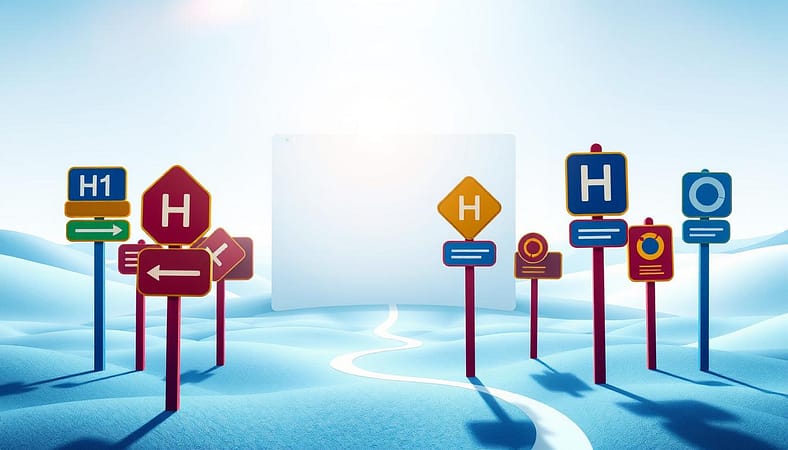
Using heading tags only for their look breaks the semantic map. For example, picking an H4 tag for its font size, without it being a logical subsection, causes confusion.
Headings should show document structure, not just look good. Visuals should be managed with CSS. This keeps meaning and style separate, a key part of accessible web design.
When headers are used only for styling, the page outline becomes confusing for assistive tools. This goes against WCAG success criteria, mainly those about info and relationships.
The following table shows the difference between using headings for their meaning and using them only for styling.
| Aspect | Semantic Heading Usage | Styling-Only Heading Misuse | Primary Impact |
|---|---|---|---|
| Purpose | Defines document hierarchy and acts as a navigation landmark. | Chosen for font size, weight, or other visual properties. | Provides or obscures meaningful structure. |
| HTML Example | <h2>Main Section</h2> followed by <h3>Subpoint</h3> | <h4>Used for a styled callout box</h4> that is not a subsection. | Creates a clear versus a broken outline. |
| Screen Reader Experience | User hears accurate, navigable sections and subsections. | User encounters misleading headings that skip logical levels. | Enables or hinders efficient content scanning. |
| WCAG Compliance | Aligns with Success Criterion 1.3.1 (Info and Relationships). | Risks non-compliance with 1.3.1 and 2.4.6 (Headings and Labels). | Meets or fails accessibility standards. |
| Development Principle | HTML provides meaning; CSS provides presentation. | HTML is used for both meaning and presentation. | Upholds or violates separation of concerns. |
Correct heading structure makes a page clear accessibility landmarks. This lets all users quickly understand content organization.
Developers should check heading levels to ensure they match the document’s true hierarchy. Browser developer consoles can show the heading outline.
Always style text with CSS classes, not heading tags. A visually prominent quote should use a .callout class, not an H3 or H4 tag.
Following these practices makes content accessible. It ensures equal access to information, meeting both ethical and legal duties.
Student Lab: Convert a Thesis Outline into an SEO Header Tree
The student lab guides you through turning Roman numeral outlines into H1 through H4 tags. This hands-on exercise shows how academic rigor and web content organization are similar. It makes a thesis outline into a header tree that follows universal logic.
Academic outlines use Roman numerals, letters, and numbers in a strict order. This order matches the HTML heading tag structure. The process makes content logical and easy for machines to read.
Here’s how to change any scholarly outline into a web-friendly format.
- Identify the H1. The thesis title or main research question is the H1. It’s the document’s main topic, like the “Title” or “I.” level.
- Map Main Arguments to H2. Each major chapter or primary argument (outline level “A.”) is an H2 tag. These are the main sections of the content.
- Assign Supporting Points to H3. Sub-points and evidence (outline level “1.”) are H3 tags. They support and expand on each H2 argument.
- Use H4 for Fine Details. Further subdivisions (outline level “a.”) are H4 tags. This level holds specific data, examples, or minor clarifications.
This mapping creates a clear, semantic tree. Search engines use this hierarchy to understand topic relevance and content structure. The process is the same as writing a how to write a PhD thesis.
The table below shows how to convert a standard academic outline into an SEO header structure.
| Academic Outline Level | HTML Heading Tag | Semantic Purpose & Example |
|---|---|---|
| I. Thesis Title | H1 | Primary topic: “The Impact of Renewable Policy on Grid Stability” |
| A. Main Chapter Argument | H2 | Core section: “Policy Frameworks in the European Union” |
| 1. Supporting Evidence | H3 | Sub-point: “Comparative Analysis of Feed-in Tariffs” |
| a. Specific Data Point | H4 | Detailed evidence: “Capacity Growth Statistics 2010-2020” |
| b. Case Study Reference | H4 | Concrete example: “German Energiewende Implementation” |
The example shows no loss of meaning. The hierarchy of ideas remains the same. The outline just changes from a static document to a dynamic web format.
This lab proves that good organization is not just for academics. A well-organized outline helps both humans and search engines. It turns abstract theory into practical skill.
Learning this conversion helps content creators make authoritative content. The logic from academia adds credibility and clarity. The resulting header tree is easy to scan, accessible, and indexes well for search engines.
Grading Rubric + Checklist
Checking a website’s header tags is essential. This grading rubric and checklist help developers and content creators do it right.
The checklist checks if everything is technically correct. It makes sure there’s only one H1 tag and that H2 and H3 tags follow a logical order. It also checks if headings use keywords naturally, without stuffing them.
Editorial criteria look at how well the content is written. Headings should clearly describe what the paragraph is about. H2s in question form can help grab featured snippet spots. The page should be easy to scan with short paragraphs and consistent structure.
Accessibility is a must. Every header tag should be meaningful, not just for looks. This follows WCAG guidelines and helps screen readers.
A simple scoring system makes the grading rubric. Give points for each item on the checklist that’s done right. A perfect score means the page follows Google’s Search Essentials and good outlining practices. This turns subjective checks into clear audits.
Use this tool to check any webpage’s header structure. It covers the best SEO and readability practices from this guide. A high score means the page is good for both search engines and readers.