
The text below a search result is very powerful. It’s called a meta description and shows what’s on the page. It helps users decide if they want to click.
Clickbait uses too much hype and doesn’t tell the whole story. This can make users unhappy and leave the site quickly. It also hurts the site’s trustworthiness.
Good previews are different. They are clear, easy to read, and honest. A great description should clearly show the page’s value.
It focuses on what the user wants, not just getting their attention. Knowing the right meta description length is key. The next parts will show you how to write these important snippets well.
What Google shows and when it rewrites text
SERP snippets act as a digital storefront, affecting whether users click on a link. These short text blocks show up under the page title in search results. Webmasters can set this text with the meta description tag, but Google doesn’t always use it.
Google often changes the description to better match the user’s search. It aims to provide the most relevant info right away.
Here are some reasons for a rewrite:
- The description doesn’t match the page’s content.
- The text is poorly formatted or stuffed with keywords.
- It doesn’t include the exact search terms.
- Google finds a more accurate text passage on the page.
These rewritten SERP snippets show up in different places. They’re most common in standard organic listings. Featured snippets, or “answer boxes,” display content directly on the results page to give quick answers.
This ties into zero-click search. With features like Search Generative Experience (SGE), Google’s AI might create summaries from website content without needing a visit. This can lower click-through rates for the source sites.
To keep users clicking, content should offer initial answers in the snippet format. But, deeper analysis and more details should be on the full page to encourage a click.
This leads to a debate on meta tag relevance. The best strategy is to write clear, focused descriptions. Good snippets meet both immediate user needs and long-term algorithmic goals.
5 Copy Formulas for Students (Problem–Solution, Numbered Benefit, Who–What–Why–Next, Quote Hook, Data Point)
Five specific copywriting formulas offer a systematic approach to generating unique descriptions. They help writers move beyond generic summaries. These templates provide a clear framework for crafting compelling snippets.
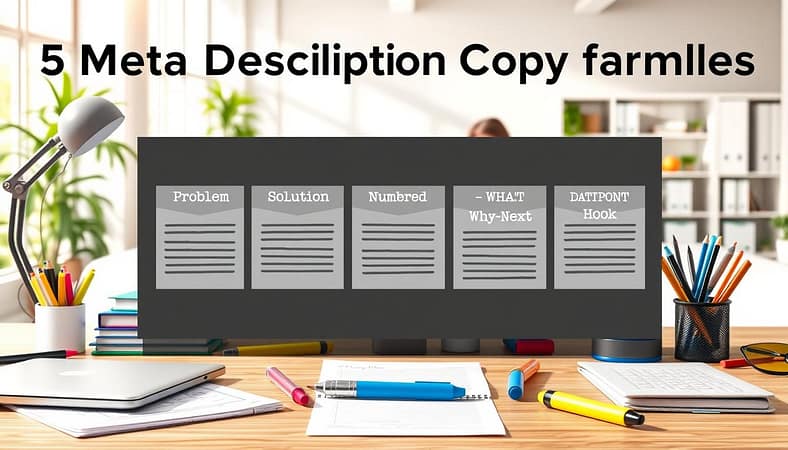
Problem–Solution
This framework directly addresses a reader’s knowledge gap. It first identifies a common problem or question. Then, it positions the linked content as the clear solution.
For example, “Learn about meta descriptions” becomes more effective as “Struggling to get clicks from search results? Learn the proven formulas for writing meta descriptions that improve CTR.” This structure combines problem identification with a promised benefit and clarity of outcome.
Numbered Benefit
This formula promises specific, quantifiable takeaways. It uses a number to set clear expectations for the reader. The description lists the key benefits or steps covered within the content.
A meta description might read: “Discover 5 actionable copy formulas to write meta descriptions that stand out. Learn the Problem-Solution framework, the Numbered Benefit approach, and three other proven techniques.” The numbered list format helps create unique descriptions by providing a precise preview of value.
Who–What–Why–Next
This journalistic structure is suitable for news articles, case studies, or event coverage. It efficiently communicates the core elements of a story.
The “Who” defines the subject or entity. The “What” explains the key action or finding. The “Why” establishes significance or context. The “Next” suggests an implication or call to explore further. This method organizes information for maximum immediate comprehension.
Quote Hook
This technique uses a compelling excerpt from the content itself. It builds credibility and intrigue by showing a key insight or statement from the article.
For an interview or opinion piece, the meta description might feature a direct quote: “‘Structured formulas turn vague summaries into clickable assets,’ explains our lead SEO strategist. Discover how to apply these techniques.” This approach can be highly effective for creating unique descriptions that feel authentic and engaging.
Data Point
Leading with a striking statistic establishes immediate relevance and authority. This approach is ideal for research-heavy or data-driven content.
The description highlights a key figure or finding to capture attention. An example: “Over 70% of search users rely on meta descriptions to decide which result to click. Learn the data-backed formulas for writing descriptions that convert searchers into readers.” The data point frames the content as essential and evidence-based.
Each of these five formulas serves as a practical tool. They guide the creation of distinct, benefit-oriented meta descriptions. Applying these structures helps content avoid duplication and stand out in competitive search results pages.
Length, tone, and entity mentions; avoid duplication across sections of a thesis site
The look and feel of a meta description in search results depend on three main things: length, tone, and what entities are mentioned. Knowing these rules helps the snippet show up fully and draw in the right people.
Meta descriptions have a limited space. Studies show that descriptions under 155 characters usually show up fully. It’s important to put the most important info at the start. This lets users quickly see what the page is about.
The tone should be clear and informative, fitting for an educated audience. Avoiding overly emotional or manipulative language is key. A professional tone builds trust. The use of sentiment should be measured and factual, not charged or biased.
For formal and academic sites, it’s best to avoid emojis. An emojis policy for these sites should advise against them. They can affect how credible a site seems and may not work the same on all devices.
It’s important to include main entities like key concepts, author names, or specific methods. This tells search algorithms what the page is about. For a thesis page, this could be the title, the main theory, or the research method.
Large sites like online theses have a special challenge. Don’t use the same or very similar meta descriptions for different parts. Search engines might see this as thin or duplicate content. This weakens the unique value of each page.
The following table outlines the recommended practices for these core parameters.
| Element | Recommended Practice | Not Recommended | Rationale |
|---|---|---|---|
| Length | Under 155 characters. | Long, truncated snippets over 160 chars. | Ensures full display in SERPs and easy scanning. |
| Tone & Sentiment | Direct, professional, informative. | Overly emotional, jargon-heavy, or sterile language. | Builds trust with an educated audience; avoids sentiment that appears manipulative. |
| Entity Mentions | Include key names, concepts, locations. | Vague descriptions lacking specific terms. | Reinforces topical relevance for search algorithms. |
| Uniqueness (Thesis Sites) | Unique description per chapter/section. | Copying the same description across pages. | Prevents duplicate content penalties and highlights each page’s specific contribution. |
For a detailed breakdown of all technical parameters, see our comprehensive guide to meta tags. Following these guidelines for length, tone, entity inclusion, and uniqueness lays a solid foundation. It makes the creative work from the previous formulas much more effective.
Using dates, brackets, and calls to action ethically
It’s important to use dates, brackets, and calls to action in a way that’s honest. This helps keep users trusting and increases the chances they’ll click on your links. If you’re not truthful, it can hurt your site’s reputation and performance over time.
Dates are like a promise of freshness. Saying “2024 Guide” means the info is current. This can make users more likely to click.
But, if your content is old, using a new date is dishonest. You need to regularly check your meta descriptions to keep them accurate.
Brackets help add clear details. For example, “[Step-by-Step Tutorial]” or “[Data Analysis]”. They make it easy for users to know what to expect.
But, brackets should never lie. Saying “[Free Download]” when it costs money is wrong. What’s in brackets should always be true and to the point.
Calls to action (CTAs) encourage users to take action. Phrases like “Learn more” or “Get the guide” can help more people click. But, they only work if the page delivers what it promises.
A CTA must match what the page offers. Trust grows when you follow through on your promises. If you promise too much, users will leave quickly, hurting your site’s reputation.
The table below shows the difference between using these elements the right way and the wrong way.
| Element | Ethical Use | Unethical Use | Impact on CTR & Trust |
|---|---|---|---|
| Dates | Shows when the content was last updated; e.g., “2024 College Admissions Guide” for a page updated in 2024. | Using a current date for content that’s not updated or is outdated. | Accurate dates build trust and can increase CTR. Wrong dates harm credibility. |
| Brackets | Provides honest context; e.g., “[Video Lecture]” for a page with a video. | Using “[Expert Interview]” for a page with no expert quotes or commentary. | Clear context helps users decide. Misleading context leads to disappointment. |
| Calls to Action | Direct and honest; e.g., “Compare formulas” for a page with a comparison chart. | Using “Download Now” for a page that only talks about a resource without a link. | Honest CTAs help grow CTR over time. Deceptive CTAs might get short-term clicks but hurt long-term performance. |
The key is to be honest. Every part of your meta description should match what’s on the page. Being truthful builds trust, which is essential for good engagement and CTR.
Lab: write 12 meta descriptions; A/B in class with SERP emulator
This lab exercise asks you to write twelve different meta descriptions for one article. It’s about applying what you’ve learned in a real-world setting. You’ll use the tips and formulas from earlier sections.
Choose a piece of educational content, like a blog post or research summary. Write twelve unique meta descriptions for it. Each should use a different approach and highlight different benefits and emotions. Remember, they should all be within the meta description length limit.

After writing, use a SERP emulator to see how each description looks in a simulated search engine results page. This tool helps you compare the clarity and appeal of each description. It shows how different lengths affect how they appear.
Set up an A/B testing framework for the twelve descriptions. Use a checklist to evaluate each one based on four key criteria.
| Evaluation Criteria | Focus |
|---|---|
| Optimal meta description length | Ensures full display without truncation on most devices. |
| Clarity of message | Communicates the content’s topic and value instantly. |
| Benefit to the searcher | Answers “What will the reader learn or gain?” |
| Human, engaging tone | Avoids robotic language to foster connection. |
This checklist is key to a comprehensive content optimization checklist. It helps you quickly check the quality of your descriptions. You’ll score each of your twelve descriptions against these criteria.
This lab shows how small changes in text can make a big difference. A clear but cut-off description might not work as well. On the other hand, a long but vague description might not grab attention. The SERP emulator helps you see these differences.
Then, pick the top two descriptions for a final comparison. This A/B test focuses on how appealing they are to click on. You’ll look at clarity, benefits, and tone. The goal is to improve your skill in writing descriptions that get noticed in search results.
This exercise turns theory into practice. It shows how creating and testing descriptions can improve your search visibility.
QA checklist and examples from top edu sites
A quality assurance checklist is key for meta description audits. It ensures descriptions are under 155 characters, easy to read, and clearly state the user benefit. This boosts click-through rates and makes SERP snippets more effective.
Good checklists also look for keywords, grammar, and a value that matches what users are searching for. The tone should be right for an educational audience, avoiding too much marketing.
Khan Academy’s meta description for “Algebra basics” is a great example. It says, “Learn the basics of algebra—focused on common sense ways to solve equations. Understand variables, expressions, and simple operations.” It’s short, clear, and written in a friendly, teaching tone.
Coursera’s meta description for a data science course is another good example. It might say, “Gain career-ready skills in data analysis.” This shows the direct benefit to the learner, which can increase CTR from relevant searches.
edX and MIT OpenCourseWare also do well. They write descriptions that are detailed and honest, without repeating themselves. Their snippets give a quick summary of what the page is about.
These examples show how following a checklist can make SERP snippets more engaging. A well-written meta description is essential for grabbing user attention from search results.